All News

Be Cyber Aware: Why regular software updates are important

Hackers and cyber criminals are continuously searching for vulnerabilities in software and systems to exploit for their own malicious gains.  

What are Zero-Day Vulnerabilities

Zero-day vulnerabilities refer to software flaws or weaknesses that are unknown to the software vendor and, consequently, unpatched at the time of discovery by cyber criminals.  These vulnerabilities are security holes that malicious threat actors (hackers) can exploit to gain unauthorised access to systems, steal sensitive information, disrupt services, or execute malicious code.

The term 'zero-day' signifies that software developers have zero days to respond to the vulnerability before cyber criminals potentially exploit it.  Once a zero-day vulnerability is exploited, it becomes known to the software vendor, and they can begin developing a security patch or update to fix the flaw.

The Dangers of Zero-Day Vulnerabilities

  1. Undetectable Attacks: Since zero-day vulnerabilities are unknown to the software vendor, they lack the necessary security measures to detect or prevent such attacks. Cybercriminals can infiltrate systems undetected, increasing the potential for data breaches and compromising privacy.

  2. Targeted Exploitation: Zero-day vulnerabilities are highly sought after by skilled hackers and state-sponsored cyber espionage groups. These sophisticated attackers can exploit the vulnerabilities for targeted attacks against specific organizations or individuals, amplifying the potential damage.

  3. Expanding Attack Surface: With the increasing interconnectedness of devices and the rise of the Internet of Things (IoT), the attack surface for zero-day vulnerabilities is expanding rapidly. From smartphones and laptops to smart home devices and critical infrastructure, any system connected to the internet can be susceptible to such attacks.

The Importance of Updates

Software updates play a pivotal role in countering the risks posed by zero-day vulnerabilities. Here's why regular updates are crucial:

  1. Patching Vulnerabilities: Updates often contain security patches that address known vulnerabilities, including zero-day exploits. By promptly installing updates, users ensure that the latest protections are in place, reducing the likelihood of successful attacks.

  2. Enhanced Security Measures: Updates not only patch vulnerabilities but also improve overall security measures. Developers continually refine their software to strengthen defenses against emerging threats, ensuring users have access to the most robust security features available.

  3. Stay Ahead of Cyber Criminals: Software vendors constantly monitor and analyze threats to identify vulnerabilities. Regular updates allow vendors to respond swiftly to emerging risks, closing security gaps before cybercriminals can take advantage of them.

  4. Protecting Personal Data: Updating software helps protect sensitive information, including personal data, financial details, and login credentials. Neglecting updates could expose users to identity theft, financial fraud, and other forms of cybercrime.

  5. Maintaining System Stability: Updates not only address security concerns but also improve system performance and stability. Regular updates ensure that software operates efficiently, reducing the risk of crashes, freezes, or other malfunctions that could be exploited by attackers.

Important information for schools:  you may need to check with your IT provider that they are regularly updating your network and systems as part of their regular maintenance routines.  Ensure you have allowed enough time for them to do this each week.

Microsoft Patch Tuesday

Microsoft fixes three zero-days in May 2023 Patch Tuesday

Cyber Checks

Complete our Information/Cyber Security Checklist to get a graphical (RAG) view of where your organisation is with Cyber Security.

Further information about zero-day vulnerabilities can be found here: NCSC Understanding Vulnerabilities.

What to do in the event of a Cyber Attack 

Incidents or attacks where any security breaches may have taken place, or other damage was caused, should be reported to an external body. 

The SLT digital lead will be responsible for assigning someone to report any suspicious cyber incidents or attacks. This person will need to report this to: 

  • Report Fraud on 0300 123 2040, or the Report Fraud website 
  • the DfE sector cyber team at This email address is being protected from spambots. You need JavaScript enabled to view it. 

You may also need to report to: 

You must act in accordance with: 

Police investigations may find out if any compromised data has been published or sold and identify the perpetrator. 

Preserving evidence is as important as recovering from the crime.

Forward suspicious emails to This email address is being protected from spambots. You need JavaScript enabled to view it.. Report SMS scams by forwarding the original message to 7726 (spells SPAM on the keypad).
Little Guide to ACTION FRAUD


Cyber Attack: Wiltshire School

A Wiltshire secondary school has been severely affected by a targeted attack by hackers who demanded a ransom to restore access to its IT network.  The attack affected the school's local server, its website, internet access, Wi-Fi, printers and internal phone systems.

A full report can be read here: https://www.gazetteandherald.co.uk/news/23476464.hacker-demands-ransom-taking-control-wiltshire-schools/

The school's website was still down several days later.  An update a few days later was published here: https://www.gazetteandherald.co.uk/news/23484633.hardenhuish-school-cyber-attack-update-hackers-demand-ransom/

In the BBC report cyber expert, Prof Alan Woodward, from the University of Surrey, said schools are a "soft target". 

"IT is not their core business, they don't have big IT teams, and if they're all using standard software and a vulnerability is found in it, then the criminals will quite quickly realise that.

"The advice is never to pay. It sounds like a quick way out, but the prices are extortionate, and you're painting a big target on your back.

"Hackers sell what they call 'suckers lists' on the dark web, where they say 'these people will pay up', and often it can lead to further attacks," he added.

The full BBC Report can be found here: https://www.bbc.co.uk/news/uk-england-wiltshire-65411450

View our Information & Cyber Security Best Practice Library for cyber help and guidance.

Download our Business Continuity Template.

What to do in the event of a Cyber Attack 

Incidents or attacks where any security breaches may have taken place, or other damage was caused, should be reported to an external body. 

The SLT digital lead will be responsible for assigning someone to report any suspicious cyber incidents or attacks. This person will need to report this to: 

  • Report Fraud on 0300 123 2040, or the Report Fraud website 
  • the DfE sector cyber team at This email address is being protected from spambots. You need JavaScript enabled to view it. 

You may also need to report to: 

You must act in accordance with: 

Police investigations may find out if any compromised data has been published or sold and identify the perpetrator. 

Preserving evidence is as important as recovering from the crime.

Forward suspicious emails to This email address is being protected from spambots. You need JavaScript enabled to view it.. Report SMS scams by forwarding the original message to 7726 (spells SPAM on the keypad).
Little Guide to ACTION FRAUD


Keeping your IT systems safe and secure

The ICO recently published an updated article aimed at small business with tips for IT security - this advice would also be applicable for schools and colleges.  

This table shows the advice from the ICO and how areas of the Data Protection Education Knowledge Bank can help and guide you in those areas. 

ICO Recommendation DPE Knowledge Bank Links
 Back up your data
 

 How secure is your server?

 Use strong passwords and multi-factor authentication

 Password Best Practice Library

 A Guide to Multi Factor Authentication

 Password Security Learning Nugget

  Be aware of your surroundings

 Information & Cyber Security Best Practice Library

 How to avoid a data breach: Information and Cyber Security Training Course

 Be way of suspicious emails

 Phishing Simulation

 Types of Phishing News Articles

 NCSC Cyber Security Training for School Staff

 Install anti-virus and malware protection

 Information & Cyber Security Best Practice Library

 Protect your device when it's unattended

 Information & Cyber Security Best Practice Library

 Physical Security

 Physical Security Learning Nugget

 Make sure your Wi-Fi connection is secure  Info/Cyber Security Checklist
 Limit access to those who need it

 Info/Cyber Security Checklist

Acceptable Use

 Take care when sharing your screen

 Working At Home Learning Nugget

 Working Out of School Best Practice Library

 Don't keep data for longer than you need it

 Records Management Best Practice Library

 Dispose of old IT equipment and records securely

 Info/Cyber Security Checklist

The full ICO article is here:  11 Practical Ways to Keep Your Systems Safe And Secure

Further ICO Password guidance: Passwords in online services

What to do in the event of a Cyber Attack 

Incidents or attacks where any security breaches may have taken place, or other damage was caused, should be reported to an external body. 

The SLT digital lead will be responsible for assigning someone to report any suspicious cyber incidents or attacks. This person will need to report this to: 

  • Report Fraud on 0300 123 2040, or the Report Fraud website 
  • the DfE sector cyber team at This email address is being protected from spambots. You need JavaScript enabled to view it. 

You may also need to report to: 

You must act in accordance with: 

Police investigations may find out if any compromised data has been published or sold and identify the perpetrator. 

Preserving evidence is as important as recovering from the crime.

Forward suspicious emails to This email address is being protected from spambots. You need JavaScript enabled to view it.. Report SMS scams by forwarding the original message to 7726 (spells SPAM on the keypad).

Little Guide to ACTION FRAUD


Why we recommend using PIN codes on printers

This article explains why we recommend using PIN codes on printers and how it reduces the risk of a data breach - this recommendation often comes about after a Making the Rounds visit to your site.

Using PIN codes on printers provide several data protection benefits:

  1. Prevent unauthorised access: By requiring a PIN code to access the printer, you can prevent unauthorised individuals from printing sensitive documents or accessing the printer's configuration settings.  It ensures that only employees have access relevant to their role.

  2. Protect confidential information: If you are printing confidential documents, PIN codes can ensure that only authorised individuals can access the printed material. This can help protect against the accidental disclosure of sensitive information and minimise the risk of a data breach.

  3. Control printer usage: PIN codes can also be used to control who can use the printer and when. For example, you can assign different PIN codes to different departments or individuals and track who is using the printer and when. This can help you better manage printer usage and reduce costs.  

  4. Secure printing: Many printers offer a feature called secure printing, which requires a PIN code to be entered before the printer will release the document. This can help ensure that confidential documents are not left unattended in the printer tray for others to see, again minimising the risk of a data breach.

Overall, PIN codes on printers can provide an additional layer of security to protect against unauthorised access to sensitive information and help you better manage printer usage.

The steps to set up PIN codes on a printer may vary depending on the printer model and manufacturer, but is something that your IT provider/technician should be able to implement.  There are both software and hardware solutions.

Once PIN codes have been created ensure that staff receive this information in a secure and confidential way and follow the same guidance used for protecting their passwords, such as not writing it down or sharing it : Passwords Best Practice Area

Consider also how confidential waste is stored/disposed of.  If it is stored prior to external destruction make sure it is securely stored in secure bins or in a confidential waste bag in a locked cupboard.  Avoid the temptation to leave recycling paper in boxes even if not confidential - often this is a data breach risk when confidential data gets mixed with class resources.  Confidential waste bags and boxes must be kept as securely as befits the documents they hold.

We would also recommend visiting our Information & Cyber Security Best Practice Area for further advice about protecting data and systems.

If you would like to book a 'Making the Rounds' visit with one of our school consultants please contact us: This email address is being protected from spambots. You need JavaScript enabled to view it.


Types of Cyber Attacks: DDoS Attacks

This article explains what a DDoS attack is and how to manage if your organisation is attacked.

A DoS attack is a denial of service attack.  It occurs when users are denied access to computer services or resources, usually by overloading the service with requests.  Your server or your website will be repeatedly bombarded with requests for information or resources.  This overwhelms the system making it unusable and unavailable.

An attack becomes a 'distributed denial of service' (DDoS) when it comes from multiple devices.  This is the most common form of DoS attack on websites.

Further information from the NCSC about DDoS attacks can be found here: DoS Guidance NCSC

How does this affect schools/organisations?

Your organisation may be attacked even if you do not have a high profile website.  Your organisation's website might be attacked or your server or systems.

Hampshire Alert recently posted an increase in the volume of attacks: Increase in DDoS attacks

DDoS-for-hire services are now openly available online, which makes it a relatively cheap and easy type of cyber attack.

View our Cyber/Information Security Best Practice Area for more guidance and checklists about Information and Cyber security.

How do we know if we are being attacked?

  • If your website is suddenly unavailable.
  • Small attacks over time (check system event logs).
  • The attack may be a distraction for other cyber crimes or fraud.  Attackers may use this as a way to check your system's vulnerabilities as a way to prepare for another type of attack at a later date.

Further information can be found at: Action Fraud

How to prevent a DDoS attack?

Generally, these types of attacks are prevented by having modern and robust cyber security tools in place.

The NCSC have a downloadable document explaining how to prepare for such attacks: Prepare for denial of service (DoS) attacks

Aside from the technical aspects of protecting systems, it is always recommended to have a cyber response and business continuity plan in place.  Ensure all staff know what to do in the even of a cyber attack. 

What to do in the event of a Cyber Attack 

Incidents or attacks where any security breaches may have taken place, or other damage was caused, should be reported to an external body. 

The SLT digital lead will be responsible for assigning someone to report any suspicious cyber incidents or attacks. This person will need to report this to: 

  • Report Fraud on 0300 123 2040, or the Report Fraud website 
  • the DfE sector cyber team at This email address is being protected from spambots. You need JavaScript enabled to view it. 

You may also need to report to: 

You must act in accordance with: 

Police investigations may find out if any compromised data has been published or sold and identify the perpetrator. 

Preserving evidence is as important as recovering from the crime.

Forward suspicious emails to This email address is being protected from spambots. You need JavaScript enabled to view it.. Report SMS scams by forwarding the original message to 7726 (spells SPAM on the keypad).

Little Guide to ACTION FRAUD

Types of Cyber Attacks: Phishing

This article is linked to a series of articles about different types of Cyber Attacks. They can be viewed in the Information/Cyber Security News section of the Data Protection Education website or as part of the Information & Cyber Security Best Practice Area. Each article discusses a different type of cyber attack, steps to try to minimise the risk and guidance.

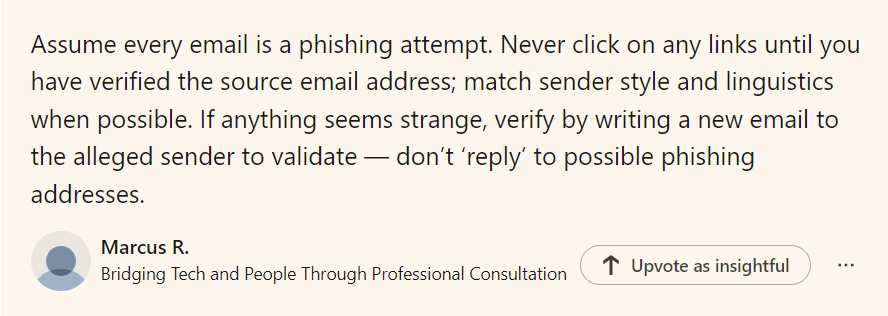
Phishing is a type of cyber attack in which an attacker tries to trick the victim into giving away sensitive data, such as passwords, credit card numbers, or other personal data.  This is typically done by posing as a legitimate organisation, such as a bank, a social media platform, or an email service provider.

Phishing attacks can take many forms, but they often involve the use of emails or messages that appear to be from a trusted source, but are actually designed to lure the victim into clicking on a link or downloading an attachment that contains malware or other malicious code.  The attacker may also use social engineering tactics to convince the victim to provide sensitive information, such as by posing as a customer service representative or a technical support agent.

The Anti Phishing Working Group's latest report analyses phishing attacks: APWG Summary third quarter 2022

The DfE reports: Of the 39% of UK businesses who identified an attack, the most common threat vector was phishing attempts (83%). Full survey is here:

DfE Cyber Security Breaches Survey 2022

Office for National Statistics - Phishing attacks - who is most at risk?


How can you protect  yourself and your organisation?

The National Cyber Security Centre (NCSC) – a part of GCHQ – has published practical advice on how to spot phishing attempts and report suspicious messages.

If you have any doubts about a message, contact the organisation directly.  If you think an email could be a scam, you can report it by forwarding it to: This email address is being protected from spambots. You need JavaScript enabled to view it.

How do you train your staff to spot phishing emails article:

Raise awareness of staff through training (also NCSC cyber security training for staff) and posters

Remind staff about the importance of passwords. View our password checklist.

Ensure virus software is running.

Be wary of public Wi-Fi.

Keep software up to date. View our Cyber/Information Security Best Practice Area.

What to do in the event of a Cyber Attack 

Incidents or attacks where any security breaches may have taken place, or other damage was caused, should be reported to an external body. 

The SLT digital lead will be responsible for assigning someone to report any suspicious cyber incidents or attacks. This person will need to report this to: 

  • Report Fraud on 0300 123 2040, or the Report Fraud website 
  • the DfE sector cyber team at This email address is being protected from spambots. You need JavaScript enabled to view it. 

You may also need to report to: 

You must act in accordance with: 

Police investigations may find out if any compromised data has been published or sold and identify the perpetrator. 

Preserving evidence is as important as recovering from the crime.

Forward suspicious emails to This email address is being protected from spambots. You need JavaScript enabled to view it.. Report SMS scams by forwarding the original message to 7726 (spells SPAM on the keypad).
Little Guide to ACTION FRAUD


Types of Cyber Attacks: The Insider Threat

This article is linked to a series of articles about different types of Cyber Attacks. They can be viewed in the Information/Cyber Security News section of the Data Protection Education website or as part of the Information & Cyber Security Best Practice Area. Each article discusses a different type of cyber attack, steps to try to minimise the risk and guidance.

The Cybersecurity and Infrastructure Security Agency (CISA) defines insider threat as the threat that an insider will use their authorised access, intentionally or unintentionally to do harm to the organisation's mission, resources, personnel, information, equipment, networks or systems.  This can include theft or unauthorised access to sensitive data, installing malware or other malicious software, or disrupting normal operations.

They are people who have authorised and legitimate access to a company's assets and abuse it either deliberately or accidentally.

There are three insider threat sources:

  1. Negligent or inadvertent users
  2. Criminal or malicious insiders
  3. Attackers that stole user credentials

How might an insider threat attack happen?

  • People rushing to finish a task or project who have access to sensitive data or admin rights can cut corners.
  • Remote working opens the organisation to personal devices being used and data intervertently being downloaded.
  • People losing devices or having devices stolen.
  • Clicking on a phishing email.
  • Not installing regular updates.
  • Installing non-organisation approved software which has malware.
  • Leaving devices open to physical attacks such as a server not in a locked cupboard or room, is open to accidental spillages, USB devices being plugged in, turning off of all the organisation's systems by pressing the power button.
  • Lack of IT expertise in the organisation could mean that someone unwittingly does not have all the appropriate systems controls in place.
  • Deliberate sabotage.

How can you reduce the risk of a cyber attack?

Remember: insiders don't act maliciously most of the time - a cyber attack is sometimes caused by a disgruntled employee but it's mostly by accident or negligence.

The role of cyber negligence in insider threats

 What to do in the event of a cyber attack?

Tell someone!  Report to IT. Report to SLT. 

Unplug the computer from the internet by removing the ethernet cable or turning the Wi-Fi off.

If you are a victim of a ransomware attack we would recommend reporting this to Action Fraud: https://www.actionfraud.police.uk/ as well as your data protection officer so they can advise about the data loss.  Most cyber crimes like these will also need to be reported to the ICO by your data protection officer.

Isolate the infected device and pass to IT 

Always ensure there are backups you can restore from.

Little Guide to ACTION FRAUD

Why your data is profitable to cyber criminals

This article covers ways in which cyber criminals profit from their cyber crimes.  Often we might think our data, if it is not financial, is not interesting or profitable to hackers, so this article discusses the different types of data that are stolen and why.

Financial data is the main data type that we all think of when considering why a hacker might steal information.  Financial data can be sold to various individuals for different purposes. It is not uncommon for thousands of records to be sold within 24 hours, making this a lucrative endeavour for the attacker and market owner.  More about this can be read in this blog by a reformed black hat hacker: Cybercriminals, Debit Cards, Credit Cards, and Underground Markets

Personal data is relatively easy to steal and will be information such as names, addresses, phone numbers, email addresses and national insurance numbers.  They can use this information to create fake identities or commit identity theft, which can then allow them to access bank accounts, credit cards and other financial resources.  This is why hackers find school MIS data attractive. WH Smith Recent Cyber Attack is a recent personal data attack.  The NCSC have written a paper about the cyber threat to Universities: https://www.ncsc.gov.uk/report/the-cyber-threat-to-universities

Intellectual property is when hackers steal such things as patents, trademarks, copyrights and trade secrets.  They can sell this information to competitors or use it to create their products.  This often happens between governments.  MI5 report a new body has been created to help the UK combat national security threats. - See more at: https://www.mi5.gov.uk/news/new-body-will-help-the-uk-combat-national-security-threats#sthash.hgLZxMI8.dpuf

Ransomware is when hackers encrypt data on a victim's computer and demand payment in exchange for the decryption key. This can be especially lucrative for hackers who target businesses or organisations that rely on their data to operate, such as schools.  See our previous article about schools that have been targeted in this way recently: VICE SOCIETY -  Ransomware attacks on schools.

Health data is stolen such as medical records or insurance information.  This information is used to commit identity theft or insurance fraud.  NHS Ransomware Attack.

Hackers profit from the data they steal in various ways, including:

  1. Selling the data on the dark web: The data can be sold to other cybercriminals who can use it for their nefarious purposes.

  2. Using the data themselves: Hackers can use the data to access accounts, commit identity theft, or create fake identities to commit further fraud.

  3. Ransomware payments: If the hacker uses ransomware, they can demand a ransom payment in exchange for the decryption key.

  4. Blackmail or extortion: In some cases, hackers may threaten to release sensitive information unless the victim pays a ransom or takes some other action.

In conclusion, hackers steal a variety of data from their victims, and they profit from this data in different ways, depending on the type of information stolen and the hacker's goals. To protect against these threats, it is essential to take cybersecurity seriously and implement appropriate security measures.

Visit our Info/Cyber Security Best Practice Area for help, guidance and support for cyber cyber security and data protection.

This website lists all the cyber crime statistics for the UK: https://proprivacy.com/blog/latest-uk-cybersecurity-cybercrime-statistics-2020-2022

What to do in an attack:

Tell someone!  Report to IT. Report to SLT. 

Unplug the computer from the internet by removing the ethernet cable or turning the Wi-Fi off.

If you are a victim of a ransomware attack we would recommend reporting this to Action Fraud: https://www.actionfraud.police.uk/ as well as your data protection officer so they can advise about the data loss.  Most cyber crimes like these will also need to be reported to the ICO by your data protection officer.

Isolate the infected device and pass to IT 

Always ensure there are backups you can restore from.

Remember – ‘Hackers don’t break in they login’!

Using WhatsApp in Schools

This article is about the use of WhatsApp as a communication tool in schools and recent vulnerabilities. It discusses school staff using WhatsApp as a communication method for school business.

We are sometimes asked by staff whether it is OK for staff to be in a WhatsApp group for important school messages. Staff often wish to use it because it is an easy way to communicate and a platform that a lot of people are familiar with.  It is also free. There are issues around this:

  • Non staff members can easily be added
  • All personal mobile numbers can be seen by everyone in the group
  • Someone needs to take responsibility for removing staff from the group that have left school
  • There is no user access control
  • Use of personal devices for school business

The ICO called for a review into the use of private email and messaging apps within government as there is a lack of controls: https://ico.org.uk/about-the-ico/media-centre/news-and-blogs/2022/07/behind-the-screens-ico-calls-for-review-into-use-of-private-email-and-messaging-apps-within-government/

WhatsApp says is should not be used for business; it is against their terms and conditions. Although WhatsApp have a business app, this is for businesses to link with their customers (ie the public), not designed for private chat within an organisation: https://support.safeguardinginschools.co.uk/article/36-why-schools-shouldnt-use-whatsapp

This article highlights the lack of user management that can create security issues: https://www.beekeeper.io/blog/why-you-shouldnt-use-whatsapp-for-business-communication/

WhatsApp has previously been fined for data breaches: https://www.fieldfisher.com/en/insights/privacy-notices-post-whatsapp

More recently there has been a warning from Action Fraud about a takeover scam of Whatsapp accounts : https://www.actionfraud.police.uk/alert/warning-issued-to-whatsapp-users-over-account-takeover-scam

Our advice would be to always try to minimise any risk, so consider the following:

  • Systems owned by an organisation would have the relevant security measures in place to protect against hackers and cyber attacks. See our best practice area: Information & Cyber Security.
  • An organisation would have the appropriate user controls measures in place for accessing the data appropriate to a person's role in the organisation. See our Info/Cyber Security Checklist.
  • An organisation would have a backup of any data.
  • An organisation is required to have access to all data in the event of a Subject Access Request. This is much simpler when all business communication is either in the organisation's cloud or devices.  See our best practice area: Subject Access Requests.
  • Organisational systems are monitored and so any inappropriate use can be checked and controlled.
  • WhatsApp may not be the best tool for more formal communication of for conveying official school policies or announcements and could lead to confusion or miscommunication.
  • There is a risk of an individual's private information or confidential data being on everyone's personal device that are in the group - an organisation has control over it's own devices.

Internet Matters offers a WhatsApp social media guide.

Information about whether WhatsApp is safe for children is covered by the NSPCC: Is WhatsApp safe for my child?

If you have been a victim of fraud or cyber crime, report it to Action Fraud or 0300 123 2040, and possibly your DPO, depending on the cyber crime.


Types of malware and how they are linked to data protection

Malware is malicious software designed to harm computer systems and is linked to data protection in several ways.

Malware can be used to steal or compromise sensitive data stored on a computer system or network. This data could include personal information, financial data, or confidential business information. In this sense, malware poses a significant threat to data protection, as it can lead to data breaches and other security incidents.

Malware can be used to destroy or corrupt data, making it inaccessible or unusable. This can be particularly damaging if the data is important or essential for business operations, and can result in financial losses, reputational damage, and legal liabilities. 

Malware can be used to exploit vulnerabilities in computer systems or networks, potentially enabling attackers to gain unauthorized access to data or systems. This can result in data theft or other malicious activities, and can also compromise the security and privacy of individuals or organizations. 


Name What it is What it Does & How it infects  Examples
A type of malicious software that rapidly replicates and spreads to any device on a network.  Worms do not need a host program to spread.   A worm infects a device through a downloaded file or a network connection before it multiplies and spreads at an exponential rate.

Famous worms: Conficker, CodeRed, Morris Worm, Stuxnet

Further guidance on worms

  A trojan virus is disguised as a helpful software program.  The user downloads it, then the Trojan can gain access to sensitive data and then modify, block or delete data.  It can be extremely harmful to the performance of the device.  They are not designed to self-replicate,  Zeus Gameover mostly used for stealing victim's bank information.
  Spyware is malicious software that runs secretly on a computer in the background and reports back to a remote user.    It targets sensitive information and can grant remote access to predators. It is often used to steal financial or personal information Keylogger - records your keystrokes to reveal passwords and personal information.
   Adware is malicious software used to collect data on your computer usage and provide appropriate adverts to you. Adware is not always dangerous but can cause issues for your system.  Adware can redirect your browser to unsafe sites and it can even contain Trojan horses and spyware.  Significant levels of adware can slow down your system noticeably.

Appearch is a common adware program that acts as a browser hijacker.  It is usually bundled with free software and inserts so many ads into the browser that it makes surfing almost impossible. 

   Ransomware is malicious software that gains access to sensitive information within a system, encrypts that information so that the user cannot access it, and then demands a financial pay-out for the data to be released.  Ransomware is usually part of a phishing scam. By clicking a link the user downloads the ransomware.  The attacker then proceeds to encrypt specific information that can only be unlocked with a special code.   Cryptolocker was one of the first examples. Fake Windows Updates. The VICE Society attacks schools.

Malware is closely linked to data protection, as it poses a significant threat to the confidentiality, integrity, and availability of sensitive data. Effective measures to prevent, detect, and respond to malware attacks are essential for ensuring data protection and maintaining the security of computer systems and networks. 

Check  your cyber resilience using our Information and Cyber Security Checklists

Visit our Information and Cyber Security Best Practice Area for support and guidance.

What to do in the event of a Cyber Attack 

Incidents or attacks where any security breaches may have taken place, or other damage was caused, should be reported to an external body. 

The SLT digital lead will be responsible for assigning someone to report any suspicious cyber incidents or attacks. This person will need to report this to: 

  • Report Fraud on 0300 123 2040, or the Report Fraud website 
  • the DfE sector cyber team at This email address is being protected from spambots. You need JavaScript enabled to view it. 

You may also need to report to: 

You must act in accordance with: 

Police investigations may find out if any compromised data has been published or sold and identify the perpetrator. 

Preserving evidence is as important as recovering from the crime.

Forward suspicious emails to This email address is being protected from spambots. You need JavaScript enabled to view it.. Report SMS scams by forwarding the original message to 7726 (spells SPAM on the keypad).

Little Guide to ACTION FRAUD


Search