This article lists the ways that Data Protection Education can be contacted for general data protection queries, data breaches, subject access requests and freedom of information requests.
While all our customers have a dedicated consultant who can be contact directly, if there is an urgent issue we would always advise emailing This email address is being protected from spambots. You need JavaScript enabled to view it..
When you email This email address is being protected from spambots. You need JavaScript enabled to view it. a ticket in our Knowledgebank will be automatically created and you will receive an email notification of this. The ticket can then be seen by all members of the Data Protection Education team which then means the person most suitable to your ticket query can provide an answer.
How do I update the ticket I raised?
If you email a reply to the original email notification or any updates you received, then the ticket will be automatically be updated and is something we would recommend. If you send a new email to This email address is being protected from spambots. You need JavaScript enabled to view it. then a new ticket will be created. There is currently no way for us to merge tickets, so replying to the original email notification is helpful.
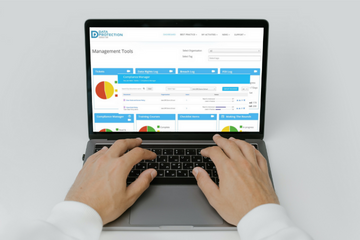
You could also login to the Knowledge Bank:
https://dataprotection.education/
and update your ticket directly with the information.
How do I tell DPE about data breaches/subject access requests/freedom of information requests?
How to add a Subject Access Request:
By logging a subject access request on the Knowledge Bank as soon as you receive it, we can guide you through the process and give any additional support and advice.
Login to the Knowledge Bank and go to 'Data Rights Log', select the white text in the title bar. Choose  on the next screen to add a new data breach log. Then complete as much detail as you can in the data breach form.

You can also report a subject access request by emailing This email address is being protected from spambots. You need JavaScript enabled to view it. which will raise a ticket but it will not add it to the data rights log. We always recommend that a subject access request is added to the data rights log where possible.
How to add a Data Breach:
The ICO says you must keep a record of any personal data breaches, regardless of whether you are required to notify them. Logging those breaches in the DPE Knowledge Bank is a good way of keeping a record that your DPO can access and advise on.
Login to the Knowledge Bank and go to 'Breach Log', select the white text in the title bar. Choose on the next screen to add a new data breach log. Then complete the form with as much detail as you can.

You can can also report a data breach by emailing This email address is being protected from spambots. You need JavaScript enabled to view it. which will raise a ticket but it will not add it to the data breach log. We always recommend that a data breach is added to the breach log where possible.
How to add a Freedom of Information (FOI) Request:
By logging a freedom of information request on the Knowledge Bank as soon as you receive it, we can guide you through the process and give any additional support and advice.
Login to the Knowledge Bank and go to 'FOI Log', select the white text in the title bar. Choose on the next screen to add a FOI. Complete as much detail as you can in the form.

You can also raise a ticket to ask for advice about an FOI by emailing This email address is being protected from spambots. You need JavaScript enabled to view it. which will raise a ticket but it will not add it to the data breach log. We always recommend that a data breach is added to the breach log where possible. Often advice and updates about current FOI's are posted on our news page:
https://dataprotection.education/news-top/news
It is also possible to contact us on: 0800 0862018